
How do I add my own recipe?
Create your own recipe in Almendra from Recipes > Add recipe: fill in ingredients, instructions, and a photo, then finish it to use it in your meal plans.
Updated January 7, 2022
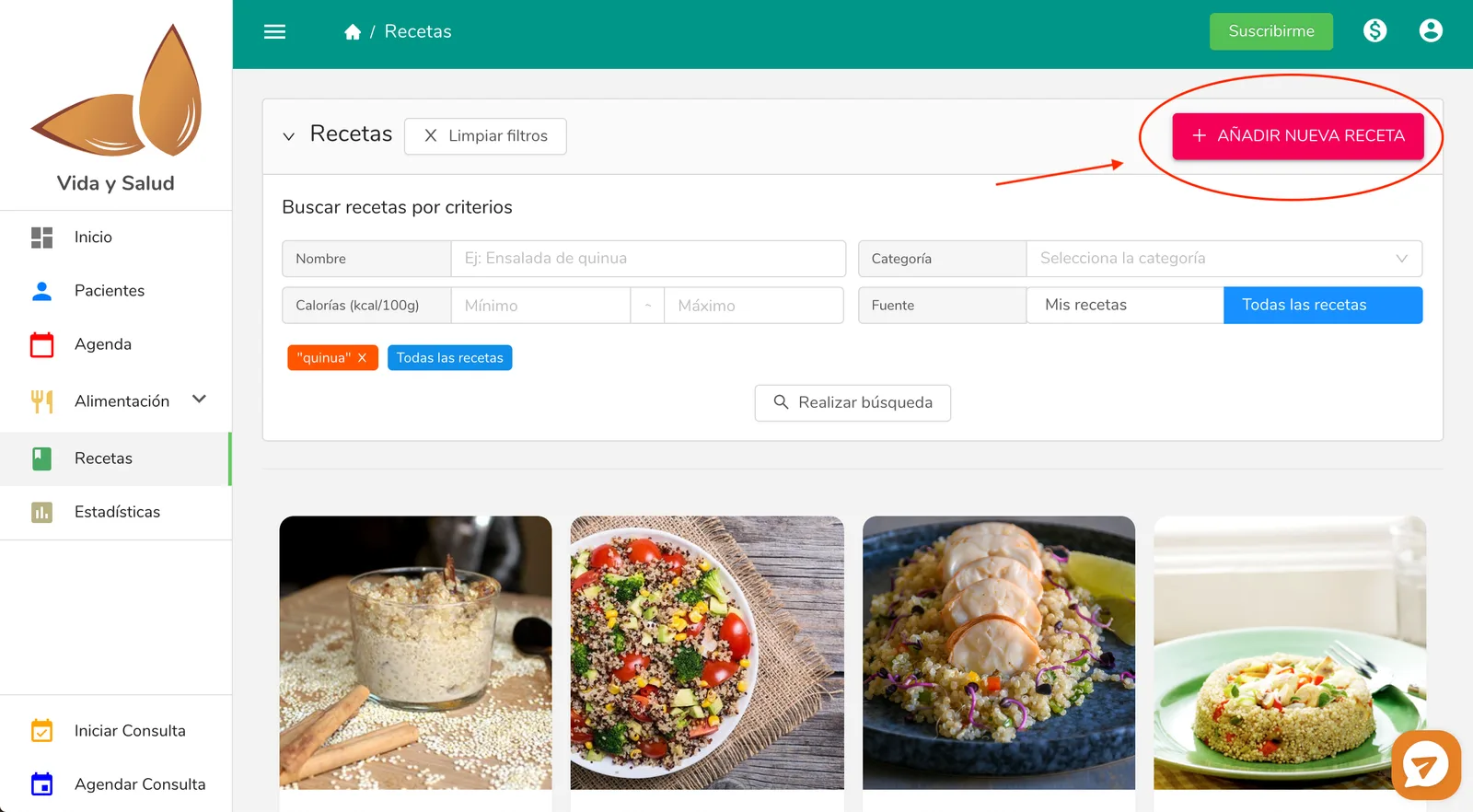
To add your own recipe to the system, go to the “Recipes” section and click on “Add recipe”.
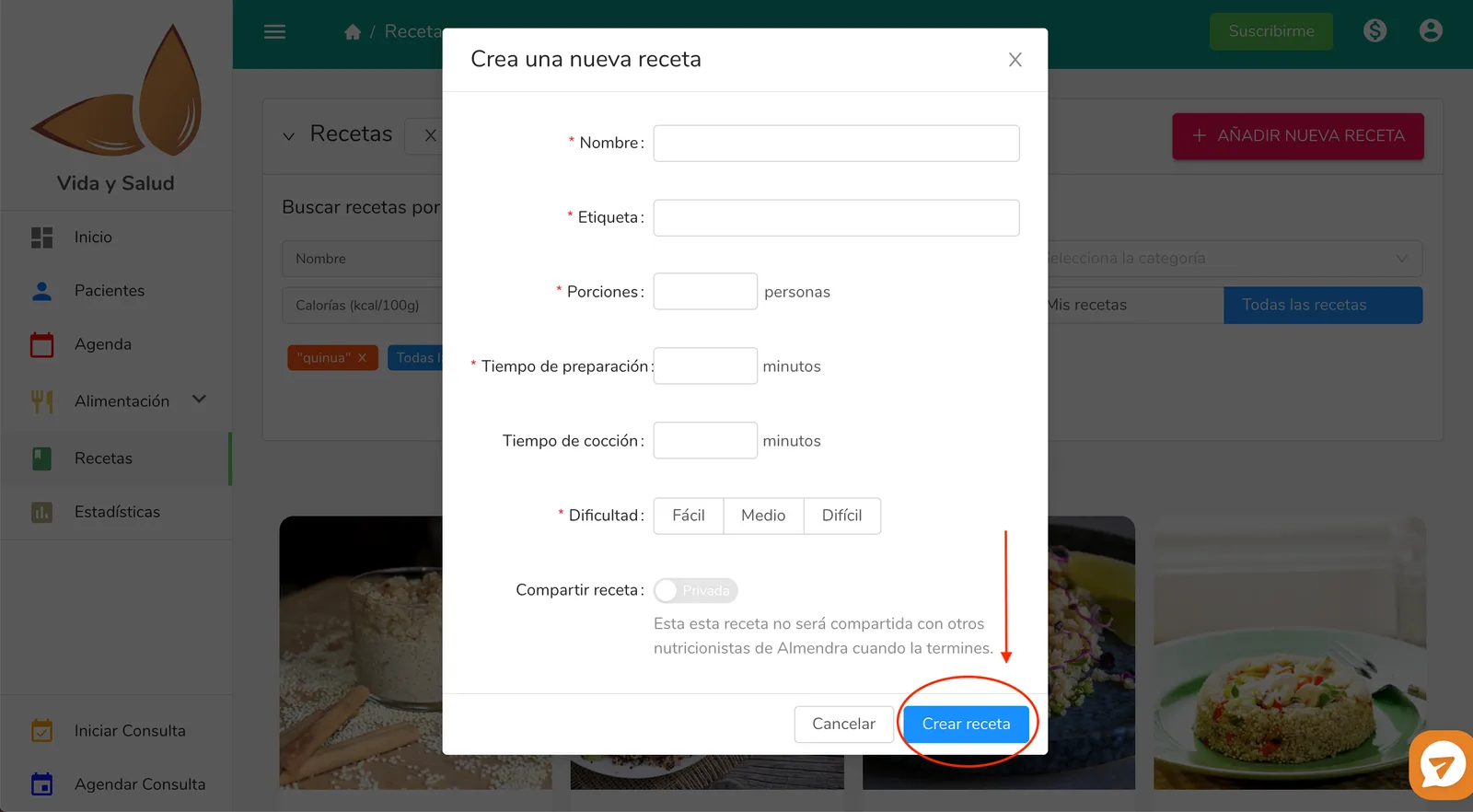
Then, fill in the basic information about your recipe and click on “Create recipe”. We will redirect you to the Recipe editor.
Once you’re in the Recipe editor, fill in your recipe’s ingredients and instructions. Remember that you can also edit the information you entered earlier, as well as upload an image of your recipe.
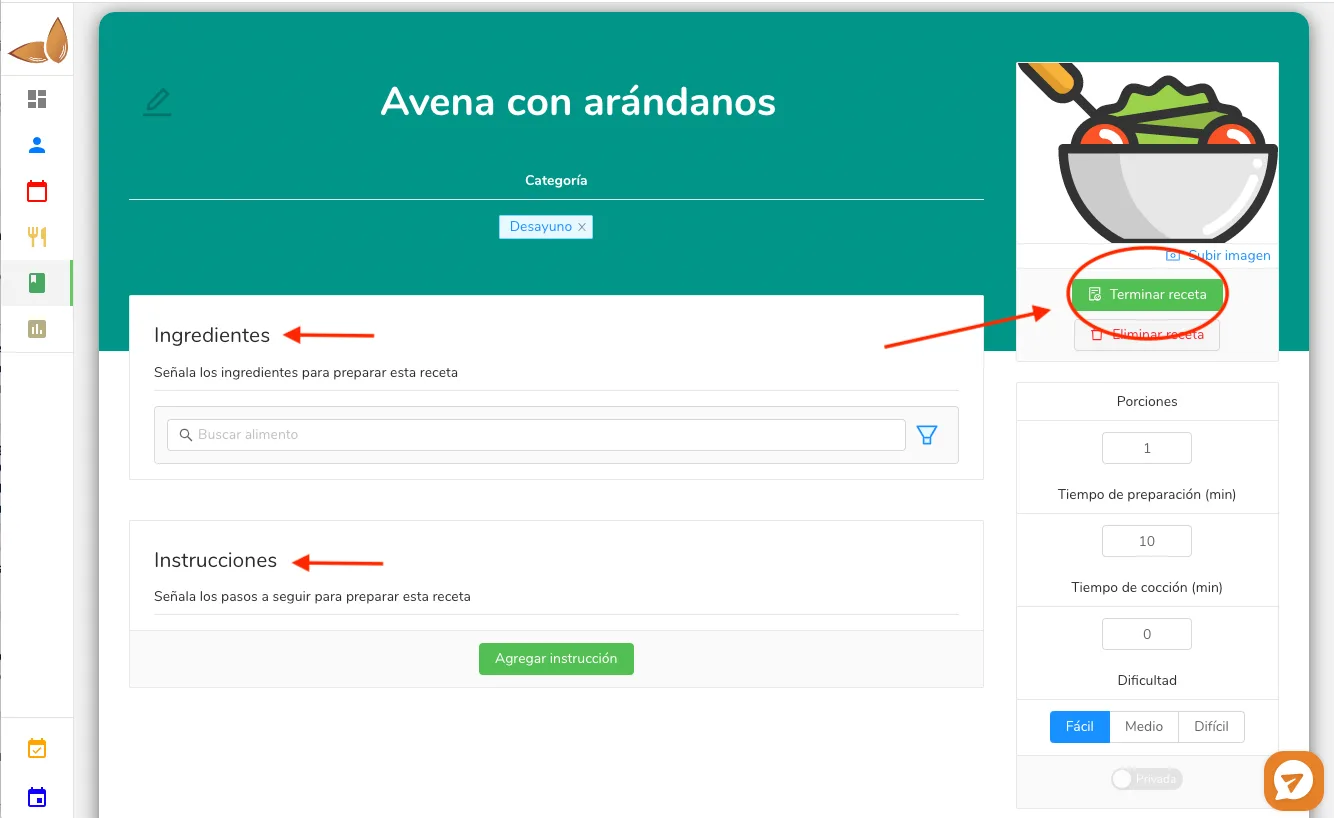
When you’ve finished editing the recipe, click on the “Finish” button. If you want to finish editing the recipe at another time, simply leave the recipe editor (by clicking on “Home” or any other icon in the left sidebar).
Remember that only finished recipes will be available for you to add to the meal plans or templates you create.
Can’t find what you’re looking for?
Our team replies within 1 business day, Monday to Friday 9:30 AM – 6:00 PM (GMT-5).