
Almendra and MercadoPago
Accept appointment payments with MercadoPago in Almendra: requirements, paying at online booking, fees, refunds, and availability in Peru only.
Updated August 12, 2024

**What do I need to start receiving payments?**1. Have your reservation system activated. We recommend reading the following guide: What is and how does the reservation system work?
2. Have a registered account with MercadoPago. To create an account, go to https://mercadopago.com and click on “Create account.” MercadoPago allows you to create a personal or business account. You can choose either to start receiving payments with Almendra.
3. Ensure the currency in your Almendra account matches the currency in MercadoPago. For example, if your currency in Almendra is USD (American dollars), MercadoPago should also be set to the same currency.4. Configure the “Optional Payment” or “Mandatory Payment” option. Locate this option in the “Online Reservations” section in the “Personal Page” settings menu (/configuraciones/pagina-personal).**Where can the patient make a payment?**The payment option is only available in Almendra’s reservation system.Your patient can make a consultation reservation through any of these means:- Almendra Patients App (iOS and Android)- Almendra Patients Website (https://pacientes.almendra.io)- Your online reservation page (https://[YOUR_SUBDOMAIN].almendra.io/reserva)During the reservation process, your patient will see the following form where they will need to enter their payment method.
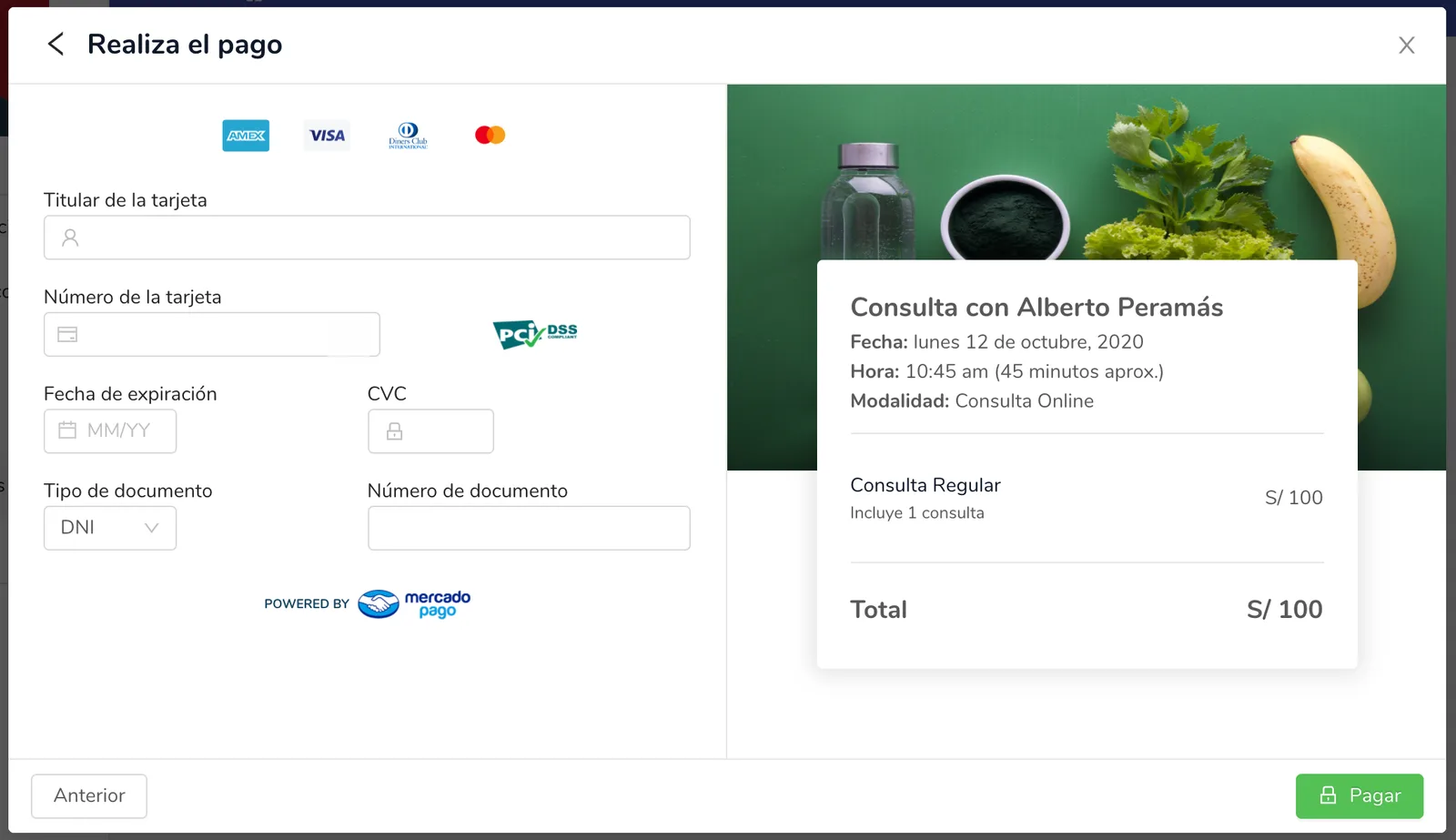
MercadoPago encrypts this data securely (TLS) and complies with the highest online security standards.
How much does ti cost to receive payments?
MercadoPago charges a fee for using its services. Visit the official MercadoPago website for more information. Almendra does not charge any additional fees.If a patient has made a payment but you want to refund their money, how can you do it?
To process refunds for your patients, you need to log in to your MercadoPago account and click on the transaction to be refunded. Once you locate the transaction, you will see a button that says: “Make a refund.” Click it, and MercadoPago will process the operation and refund the money to your patient.
Other information:
- Services priced below 10 units (regardless of the currency) will not be processed by MercadoPago.- You will receive an email from us and an email from MercadoPago when you receive a payment, indicating the amount, date, and time of the transaction.
Currently this service is only available in Peru.
Can’t find what you’re looking for?
Our team replies within 1 business day, Monday to Friday 9:30 AM – 6:00 PM (GMT-5).