
Where will my office address appear if I make it public?
Your office address appears on your personal page next to your office hours. You can hide it anytime from Settings > Personal Page in Almendra.
Updated August 14, 2024
To view your office address, you must have previously created your office hours. Follow this guide for more details: How to add your office hours?
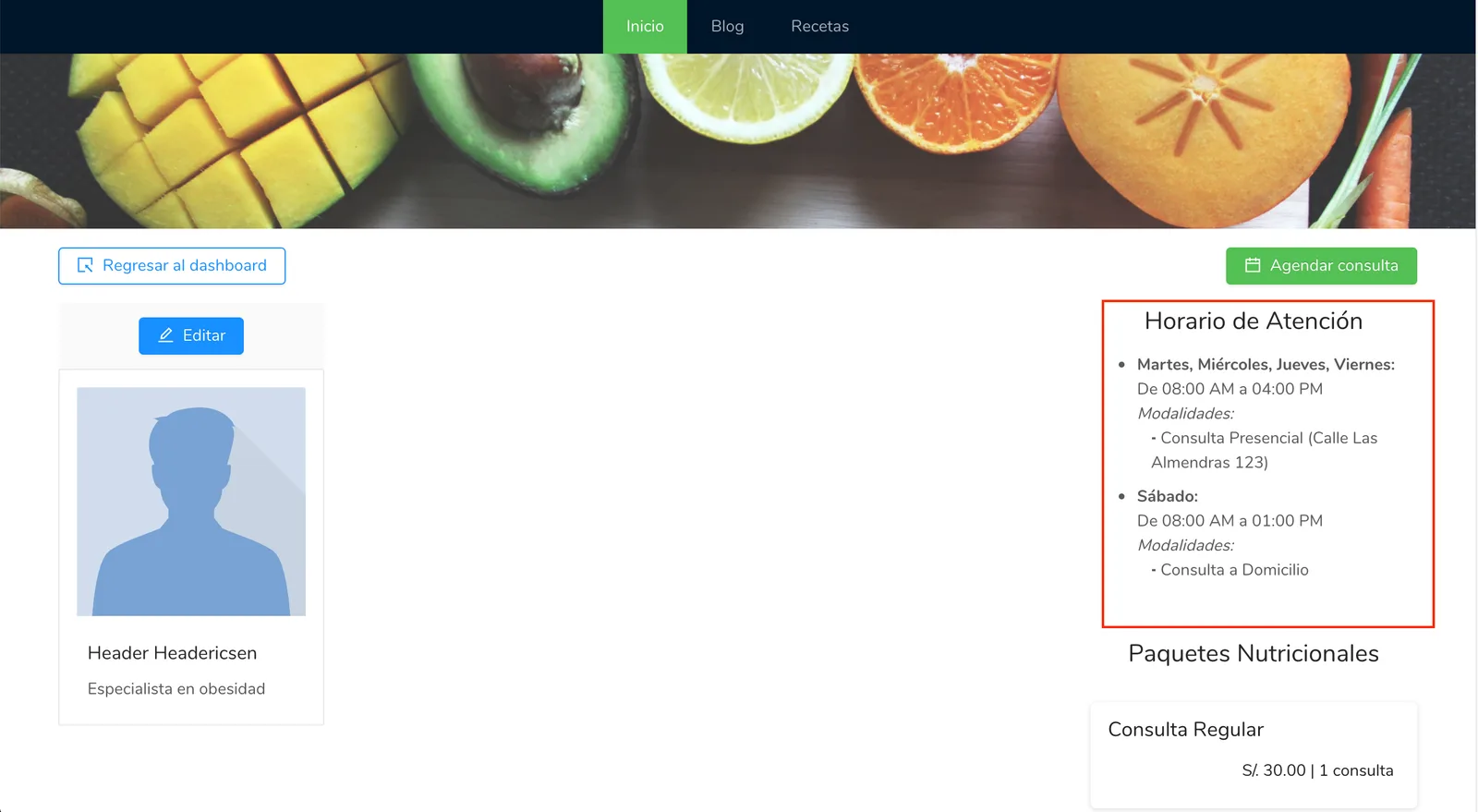
The address of your office will appear on your personal page as shown in the image below:
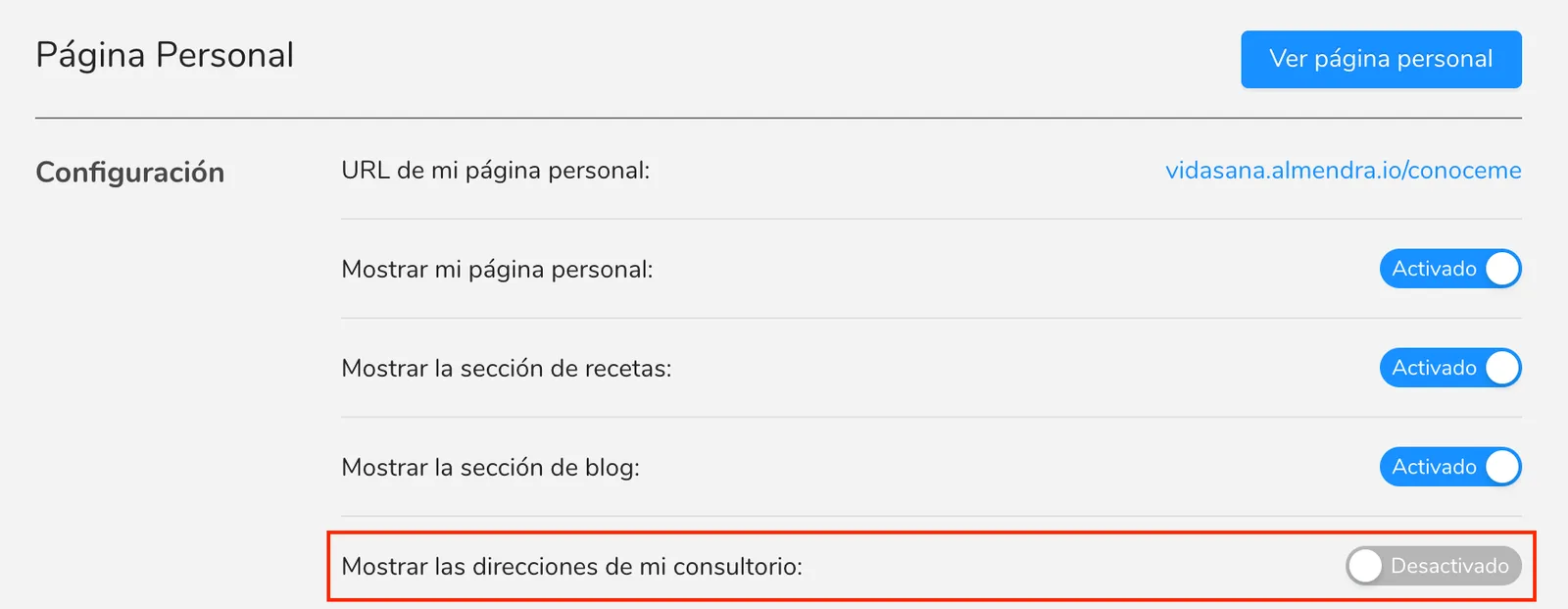
If you don’t want your address to appear on your personal page, you can go to the settings menu, in the “Personal Page” section, and deactivate the option “Show my office addresses.”
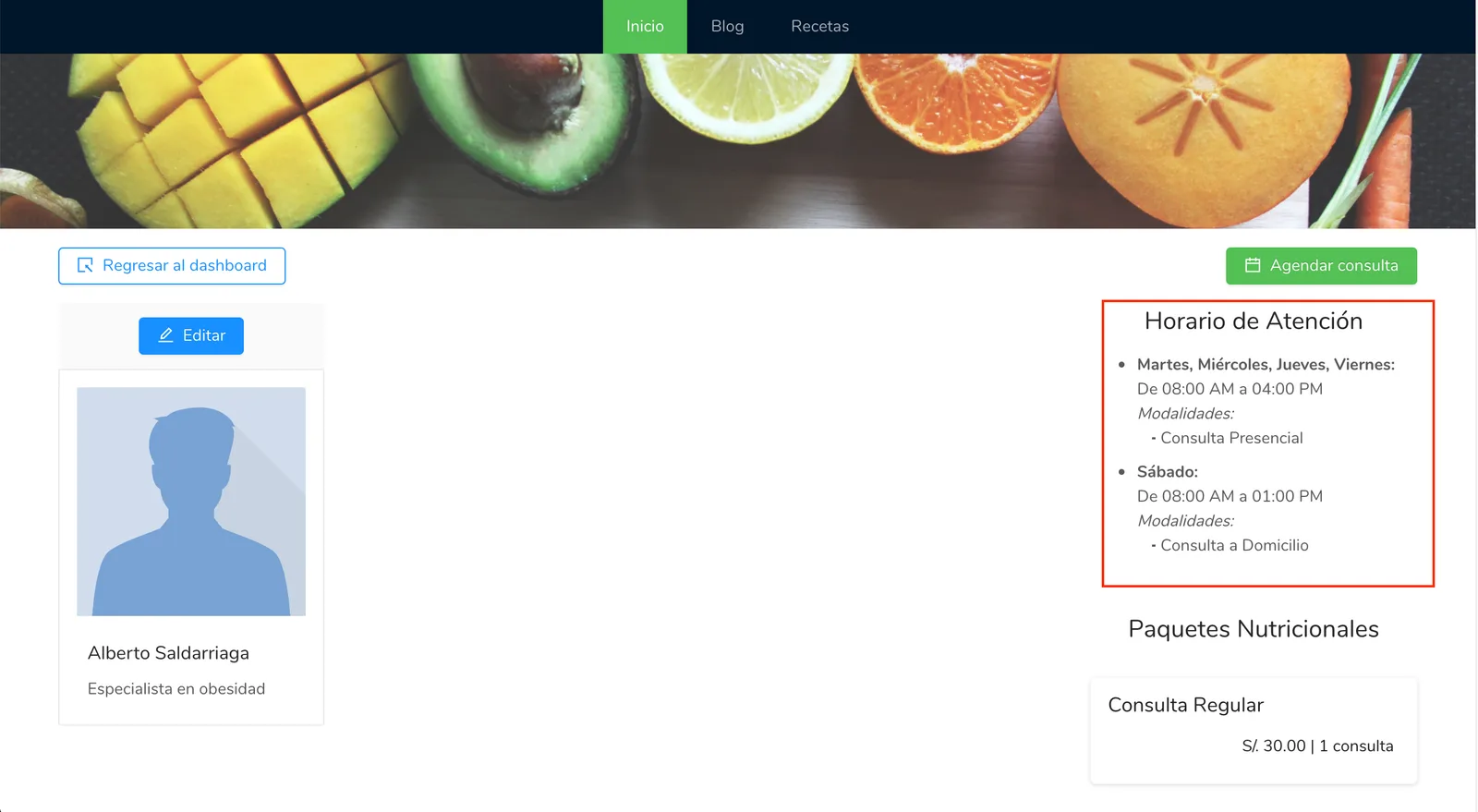
When you deactivate the “Show my office addresses” option, the schedule on your personal page will look like the image below:
Can’t find what you’re looking for?
Our team replies within 1 business day, Monday to Friday 9:30 AM – 6:00 PM (GMT-5).