
How can I create a post on my personal page?
Create a post on your Almendra personal page from the Blog section with Create new post, and save your changes whenever you take a break or finish.
Updated August 13, 2024
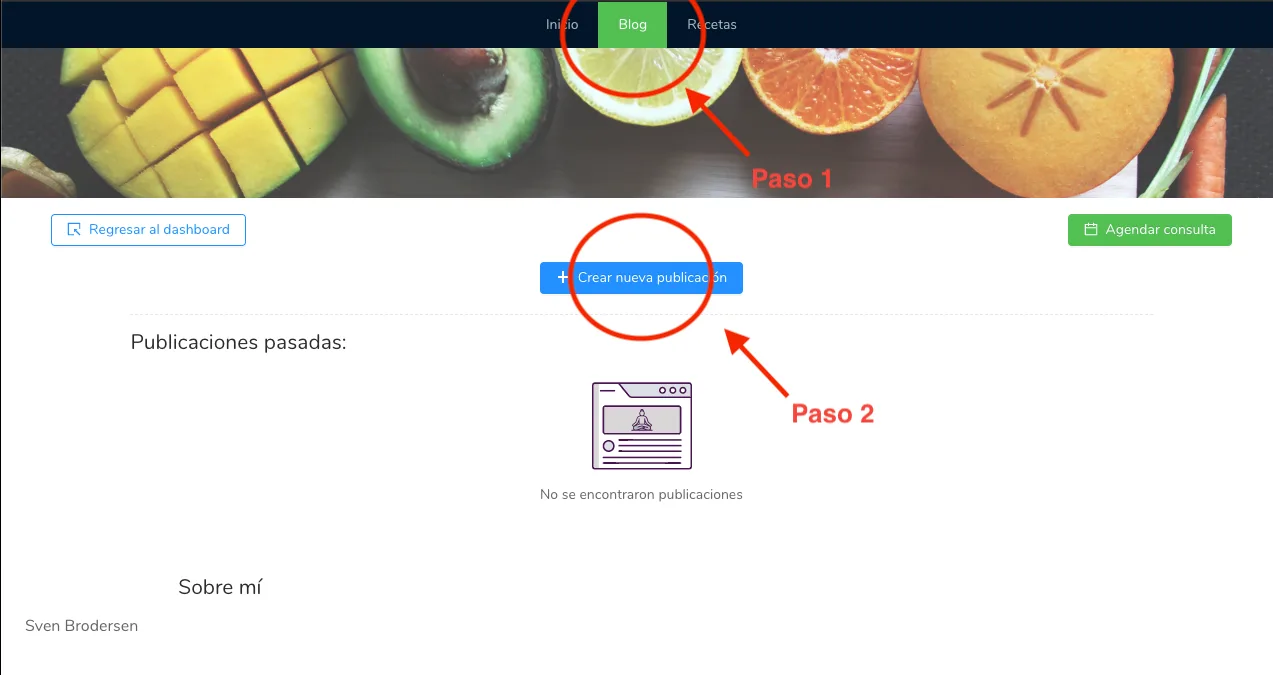
To create a post on your personal page, first go to the “Blog” section located at the upper center of your personal page. Once there, click on “+ Create new post” to create a new post.
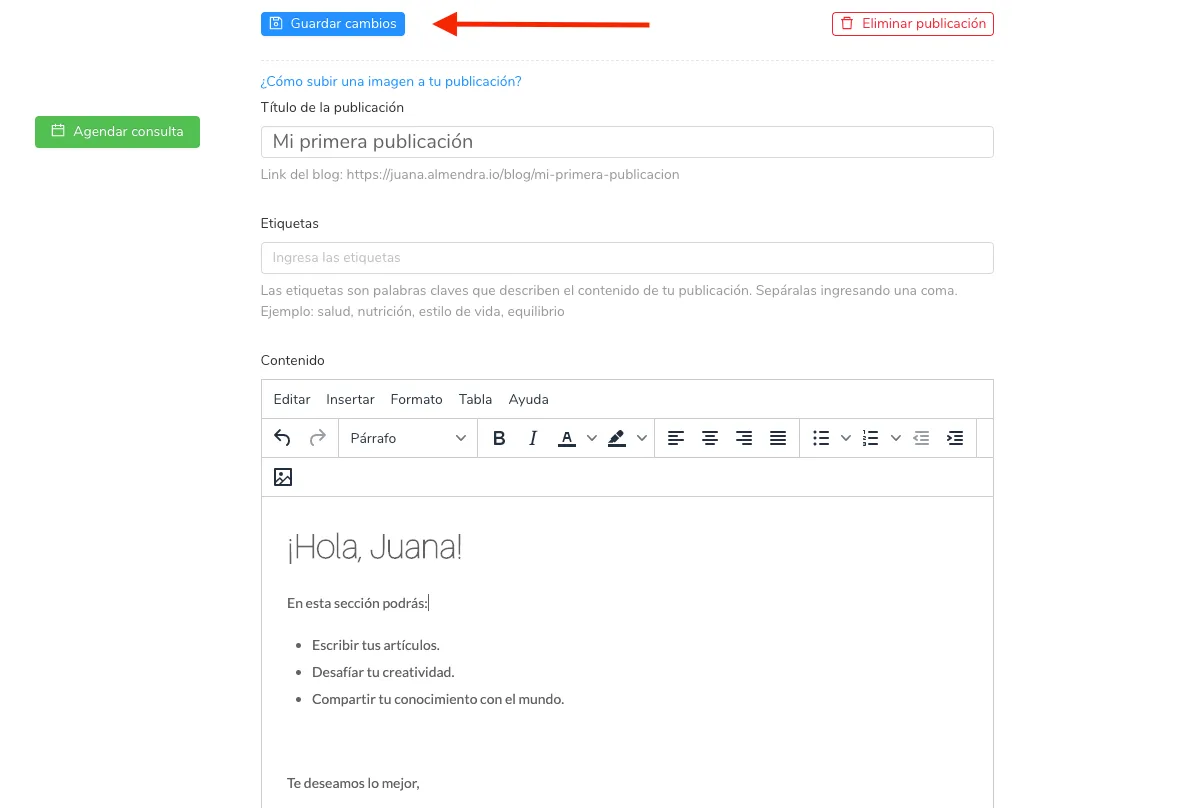
And finally, start adding content. Remember to always click the “Save changes” button whenever you want to take a break or finish the post.
Can’t find what you’re looking for?
Our team replies within 1 business day, Monday to Friday 9:30 AM – 6:00 PM (GMT-5).