
How do I change my personal subdomain?
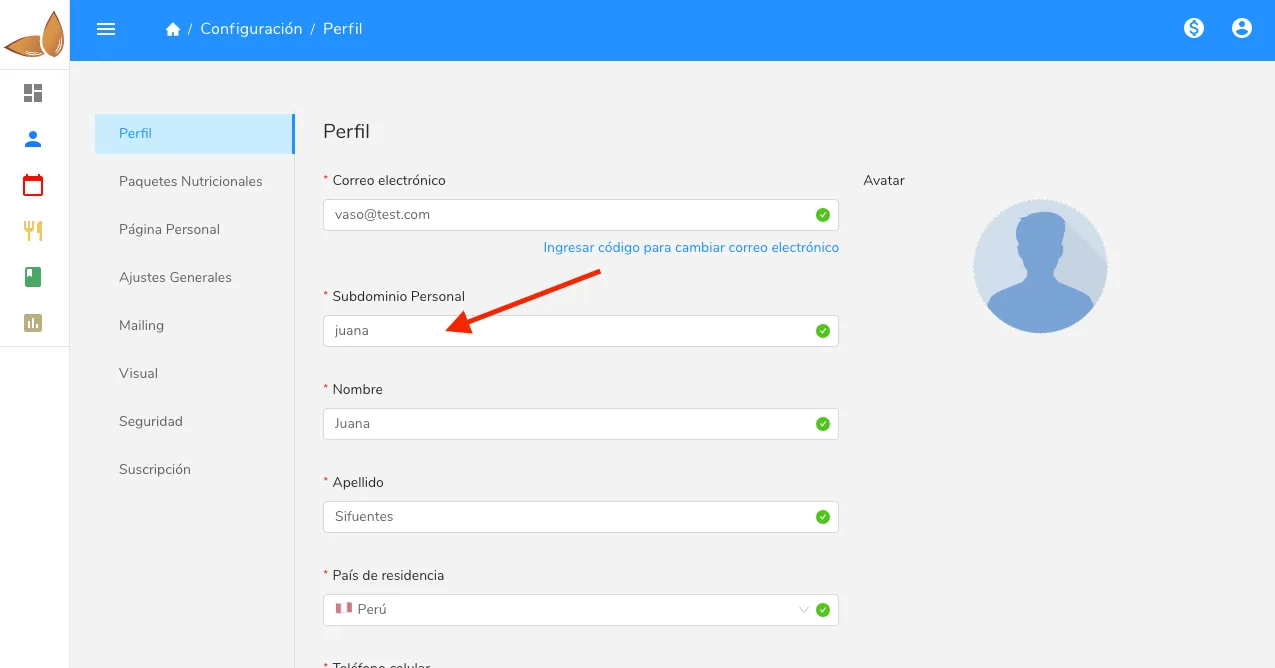
Change your Almendra personal subdomain, the link you use to open the software, by editing the Personal subdomain field under Settings > Profile.
Updated January 7, 2022
To change your personal subdomain (the link you use to access the software; for example, in luciana.almendra.io the subdomain is “luciana”), go to the settings menu and click the “Profile” section. In that section, you can change your personal subdomain simply by editing the “Personal subdomain” field.
Can’t find what you’re looking for?
Our team replies within 1 business day, Monday to Friday 9:30 AM – 6:00 PM (GMT-5).