
What should I do if I get an error when sending emails?
If Almendra shows an error when sending emails, relink your Google account in Settings > Security, or unlink it to send from Almendra's address instead.
Updated February 27, 2025
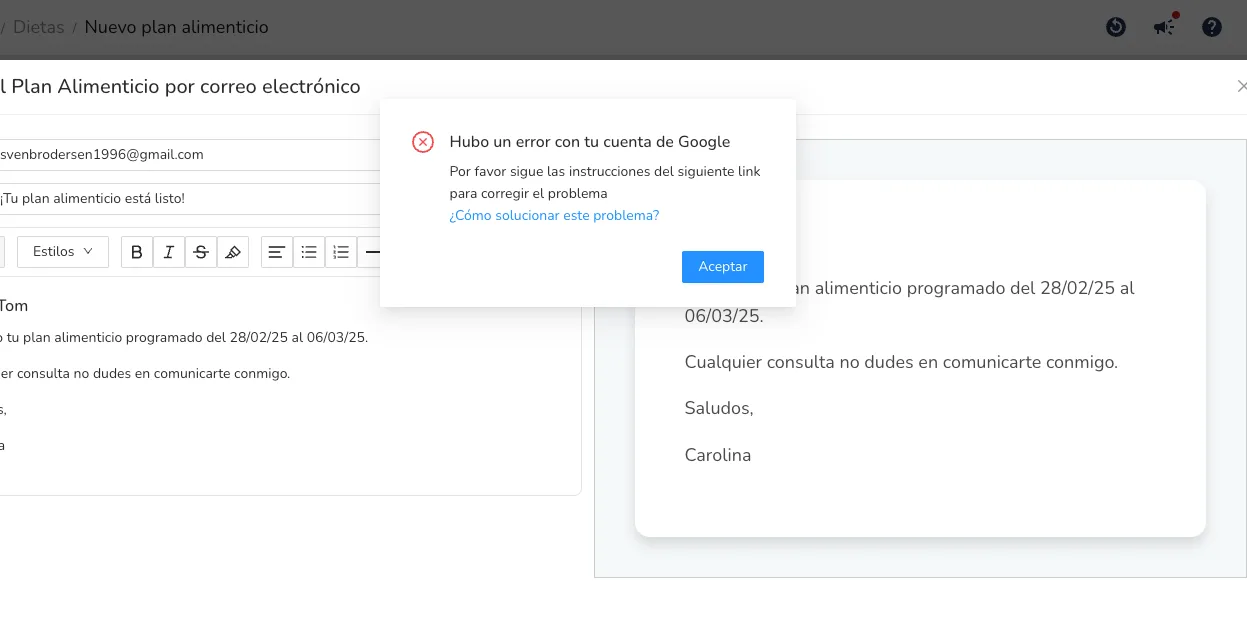
If you see the following error, there are a few steps you can take to fix it:
First, go to the Settings > Security section. There you will see a “Google” subsection where your account is linked. Click on “Unlink account” and then link it again (click on “Link account”). This first step might solve your problem. Try sending an email again once you have re-linked your account, and if it didn’t work, come back here and try the next step.
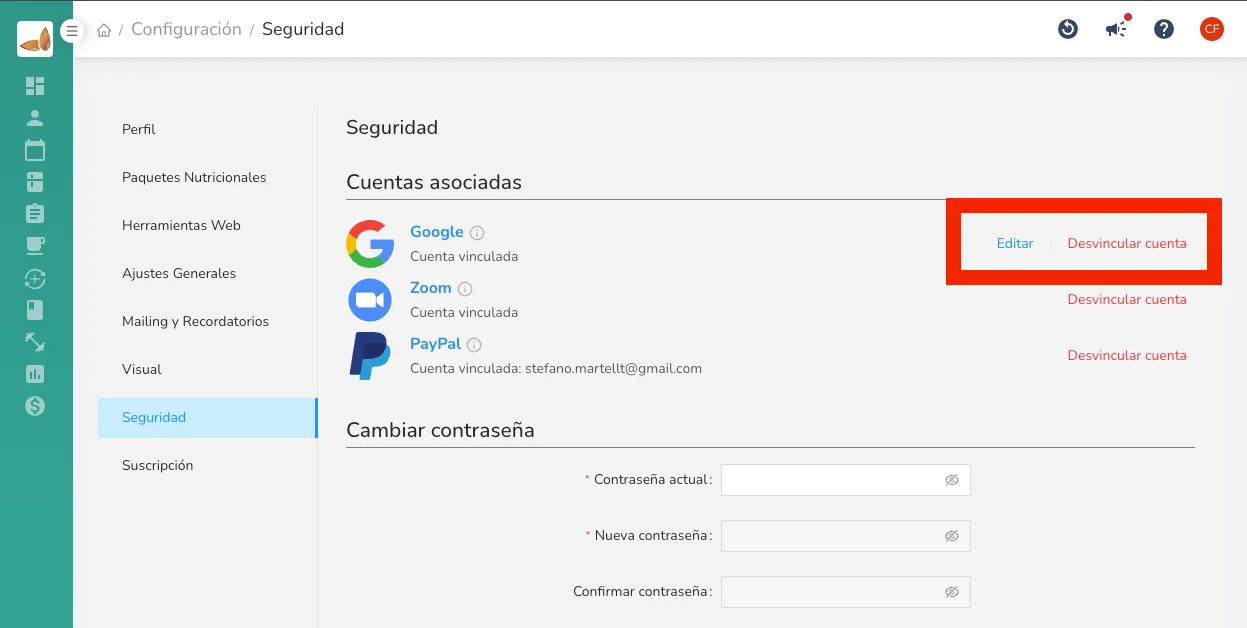
The next step is to unlink your Google account completely. Click on “Unlink account” and don’t do anything else; now try sending the email again and there shouldn’t be any problems. Sometimes, due to external factors, Google gives us linking problems. This way you will still be able to send emails, but they will be sent from Almendra’s email address :).
If you’re still having problems, contact us at hola@almendra.io
Can’t find what you’re looking for?
Our team replies within 1 business day, Monday to Friday 9:30 AM – 6:00 PM (GMT-5).