
If I add a patient, will they automatically receive an email?
When you add a patient, Almendra can automatically email them their account access and a welcome message. Turn both on or off in the Mailing settings.
Updated January 7, 2022
There are two types of emails that can be sent automatically to the patient once they are created.
1) The email with access to create their account
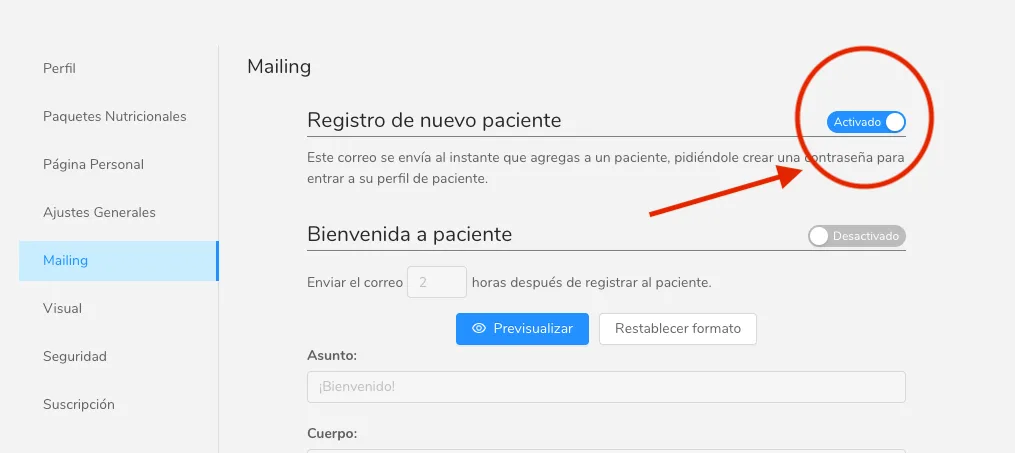
In the settings menu, in the “Mailing” section, you can set it up so an automatic email is sent to the patient once you add them.
If this option is disabled, the confirmation won’t appear and automatic emails of this type will never be sent.
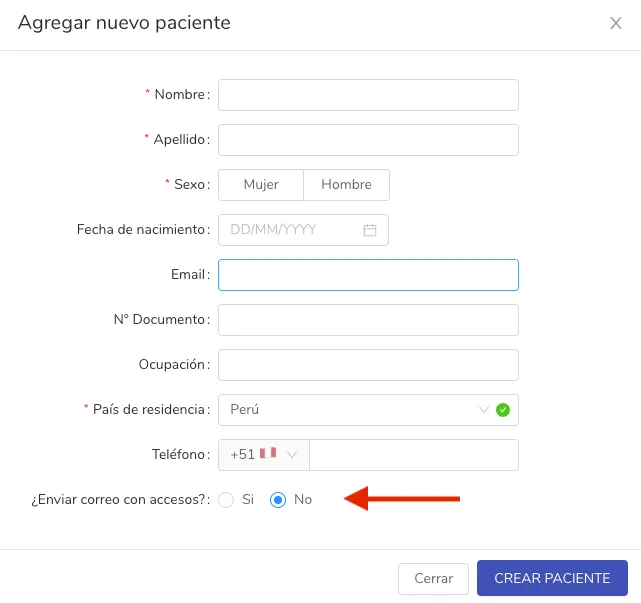
When you add the patient, right before finishing the form you will get a double confirmation to send the patient the email with their access.
2) The patient welcome email
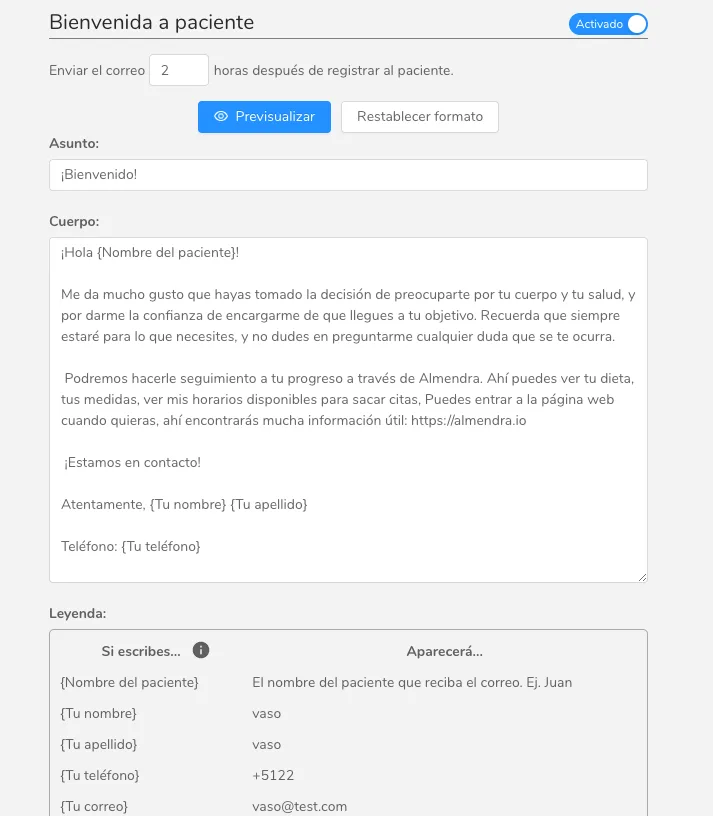
This is simply a personalized email that you write, which is sent automatically to all your patients a certain amount of time after you add them.
You can set how many hours after registering the patient the email will be sent, and you can edit it however you like. Remember to check the legend at the bottom so you can use variables.
If this option is disabled, no welcome email will be sent to the patient.
Can’t find what you’re looking for?
Our team replies within 1 business day, Monday to Friday 9:30 AM – 6:00 PM (GMT-5).