
How do I add a past measurement?
Log measurements from earlier appointments on the patient's profile in Almendra, entering the appointment date and the body measurements taken.
Updated January 7, 2022
To add a past measurement, the first step is to go to the profile of the patient you want to add the past measurement to, then scroll down.
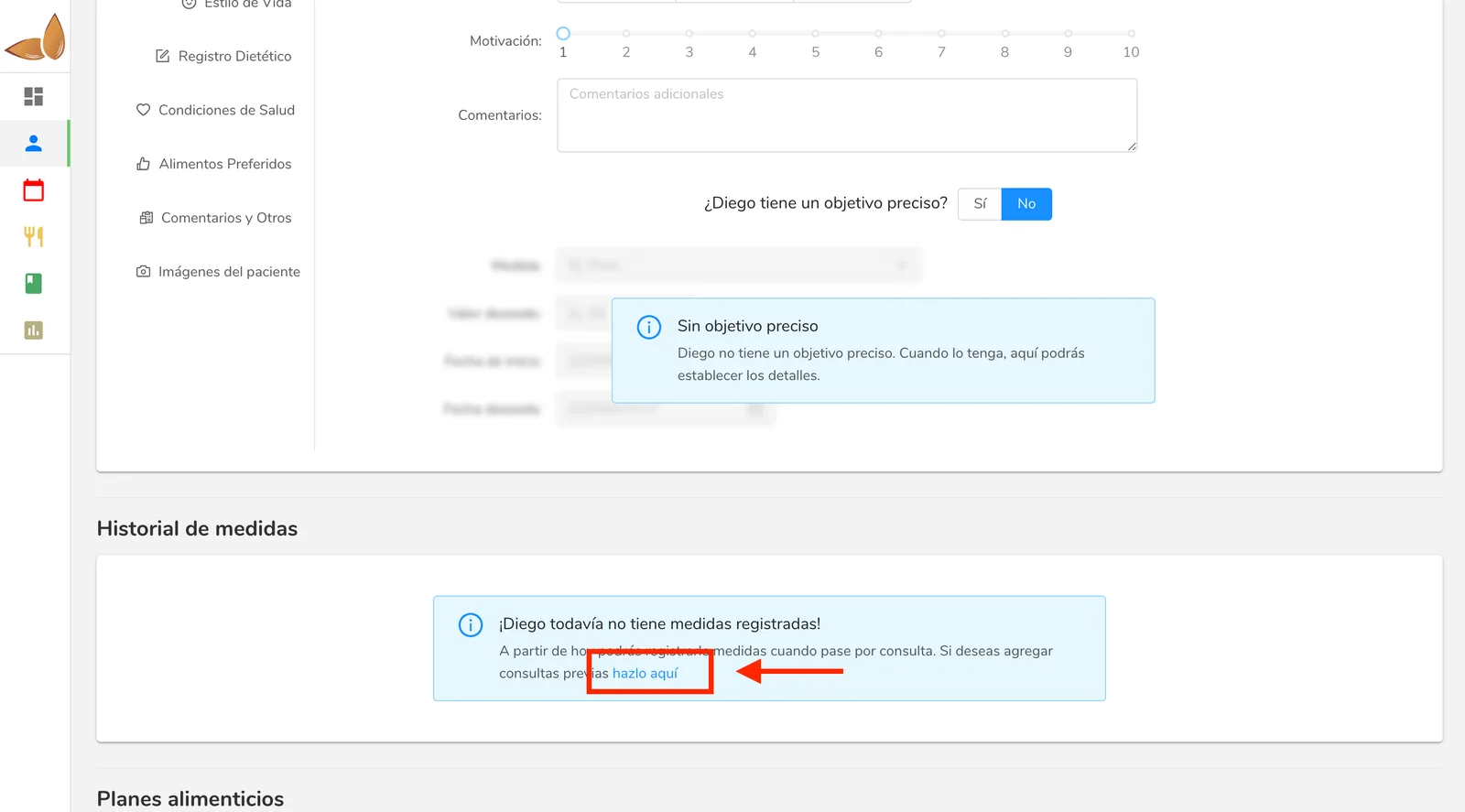
If you’ve never had an appointment with the patient using Almendra, you’ll find the option by clicking the link highlighted below.
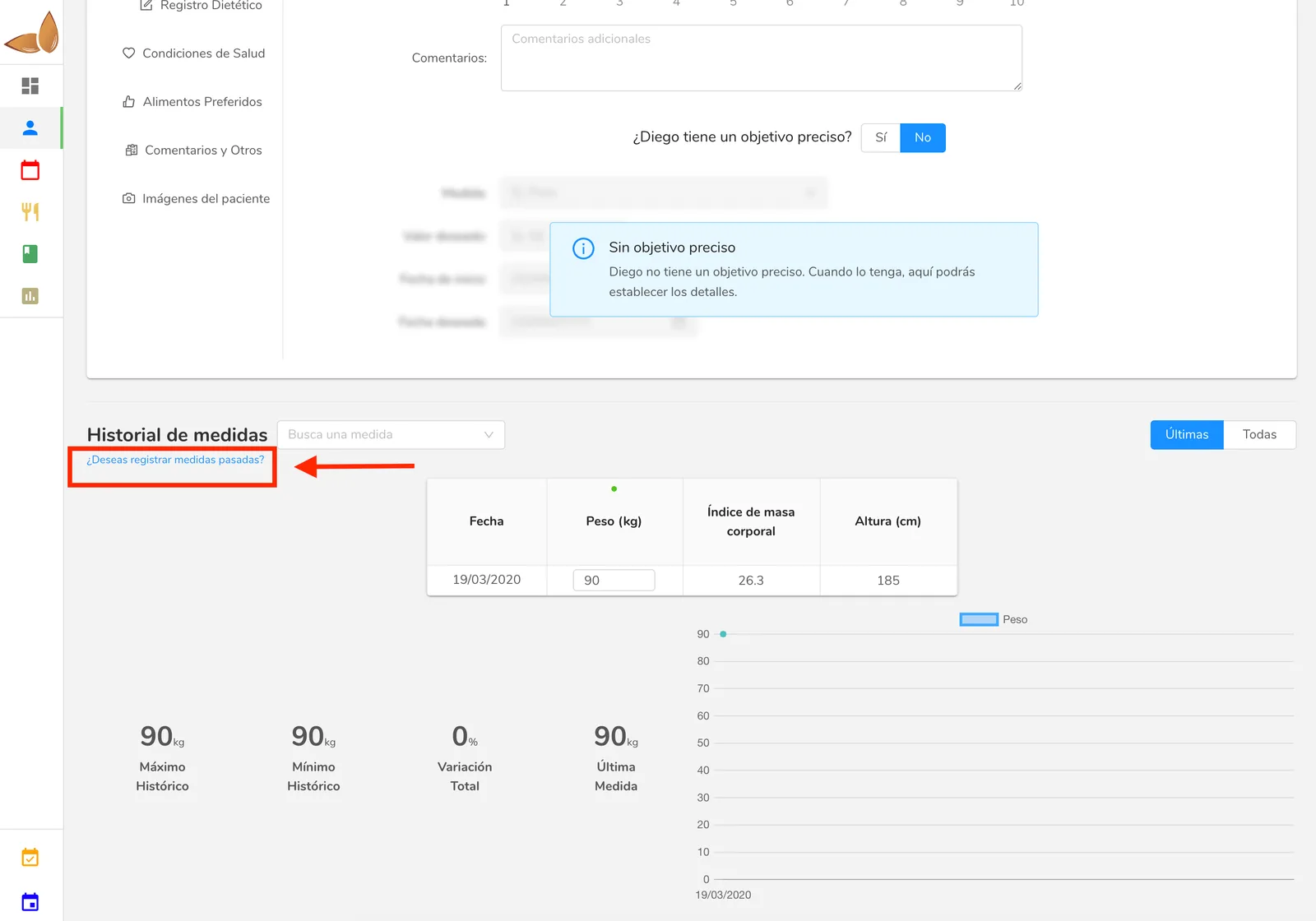
Otherwise, if you’ve already had appointments with the patient in Almendra, you’ll find the option you’re looking for in the link below.
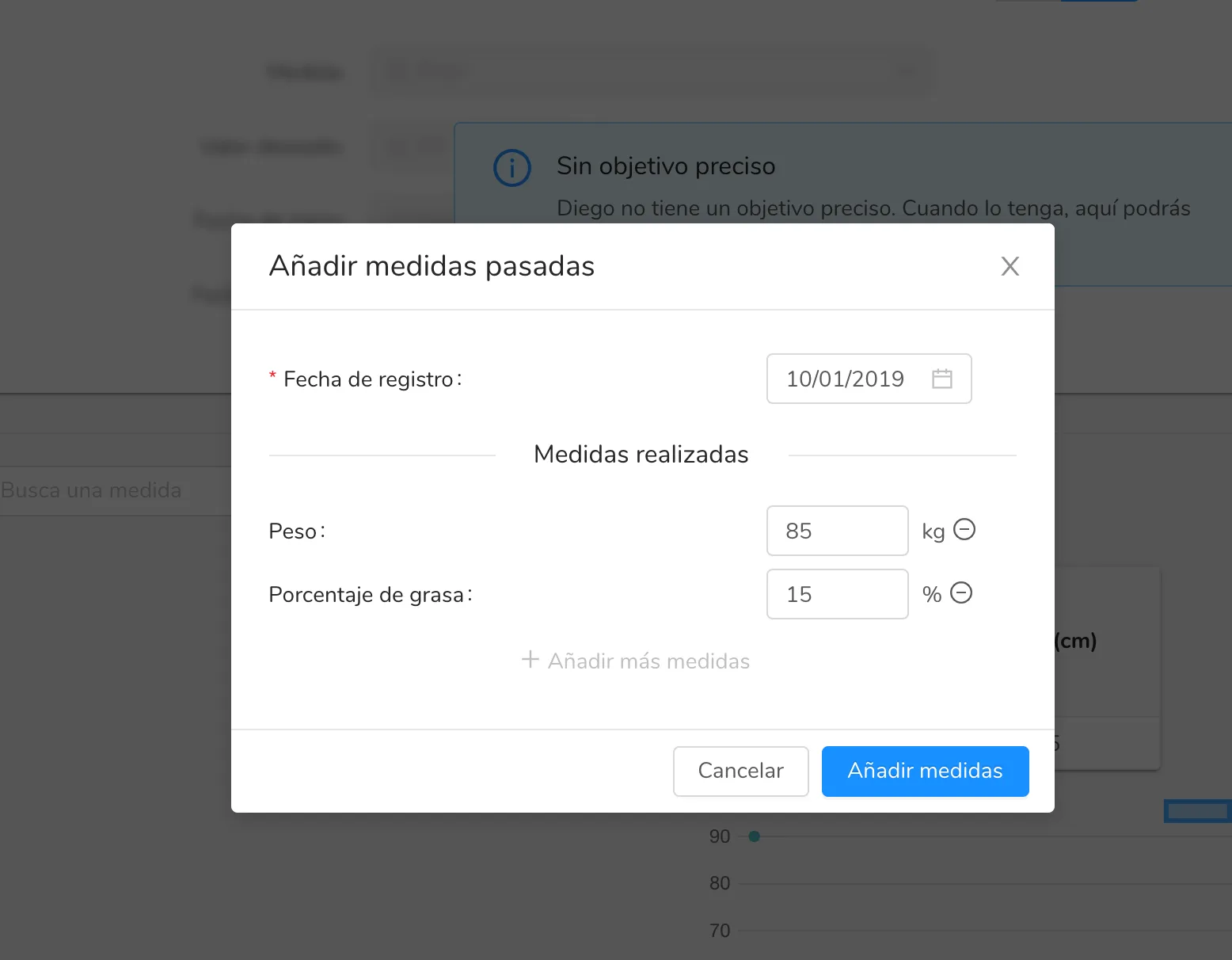
Once you click the corresponding link, a pop-up window like the one shown below will appear, where you can add both the appointment date and the corresponding measurements.
Can’t find what you’re looking for?
Our team replies within 1 business day, Monday to Friday 9:30 AM – 6:00 PM (GMT-5).