
How do I sync my schedule with Google Calendar?
Link your Google account from the Security section with Link account so every change to your Almendra schedule shows up in Google Calendar automatically.
Updated August 11, 2024
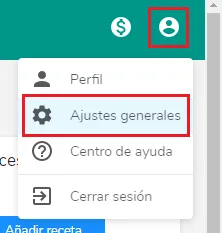
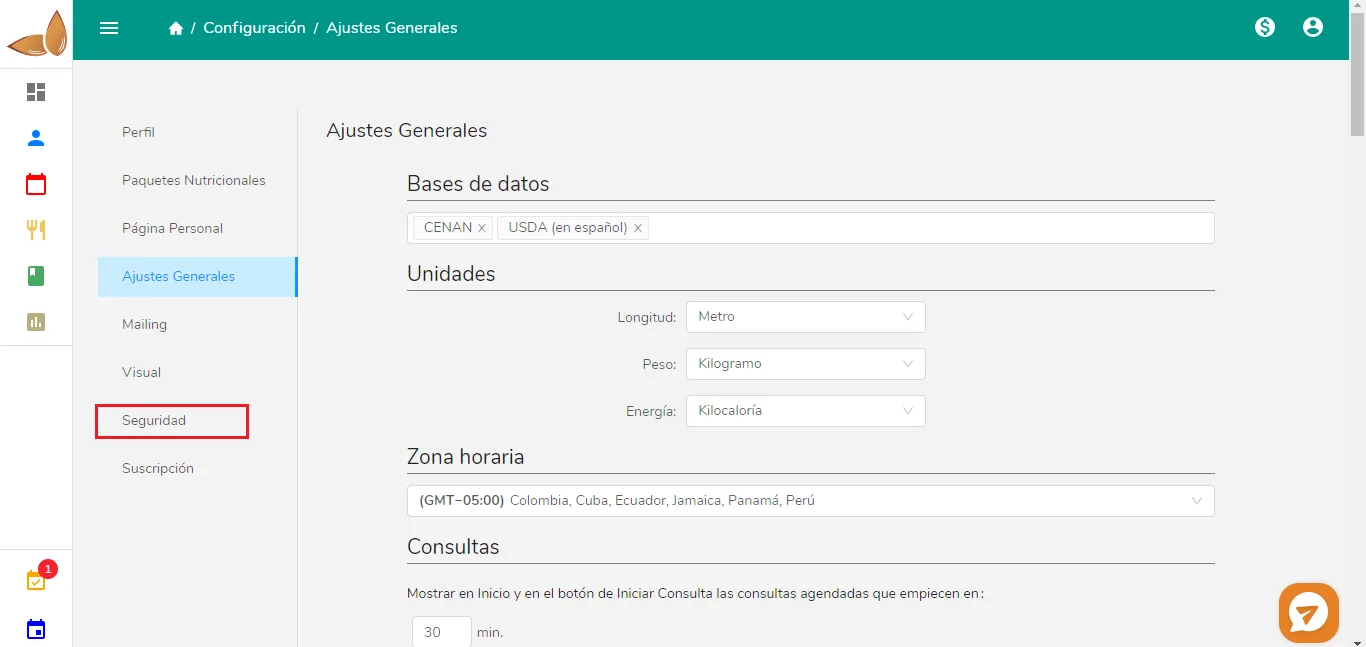
Then click Security
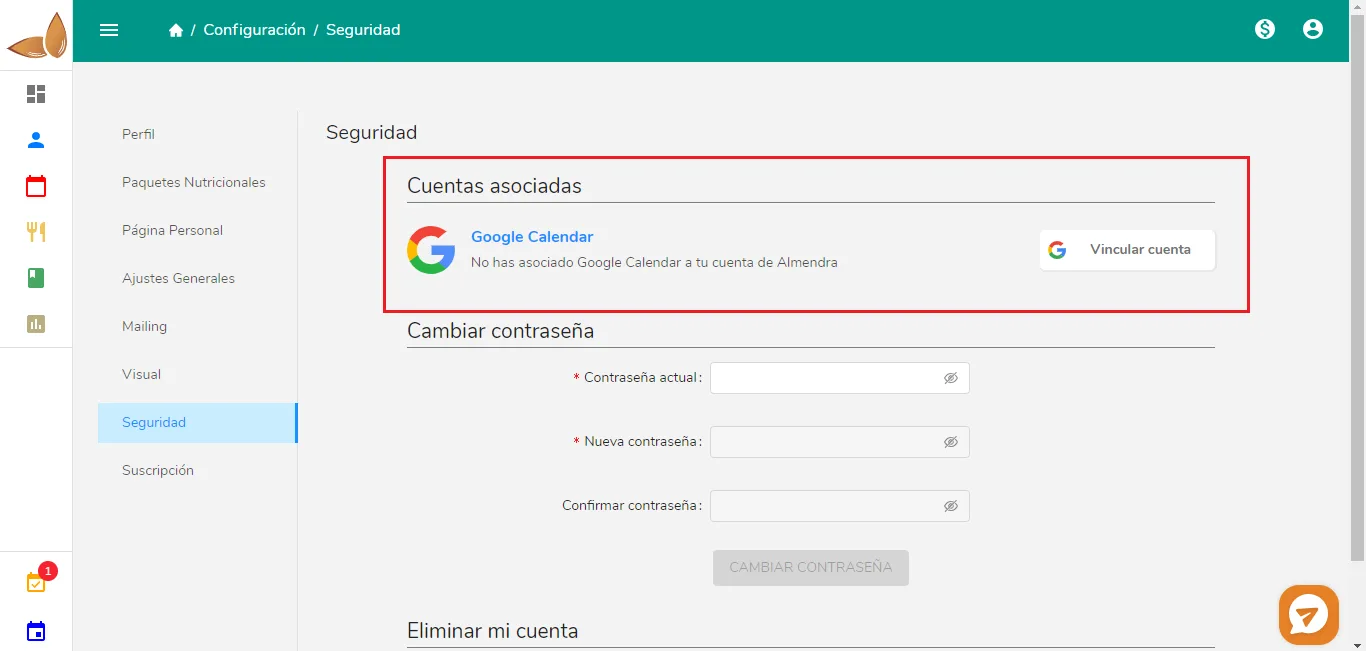
Next, click on “Link account.” A pop-up window will open; click “Yes.” You will be redirected to the Google account linking page.
Once you are on the Google account linking page, select the account you want to link. You will see this pop-up window:
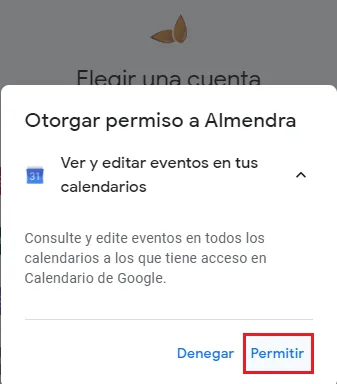
Click on “Allow.” You will then proceed to another Google screen where you should also click on “Allow.“That’s it, your Google Calendar has been linked with Almendra!
Now, any changes you make to your Almendra calendar will automatically be reflected in your Google Calendar.
Can’t find what you’re looking for?
Our team replies within 1 business day, Monday to Friday 9:30 AM – 6:00 PM (GMT-5).