
I started an appointment by mistake and it's still in progress. What do I do?
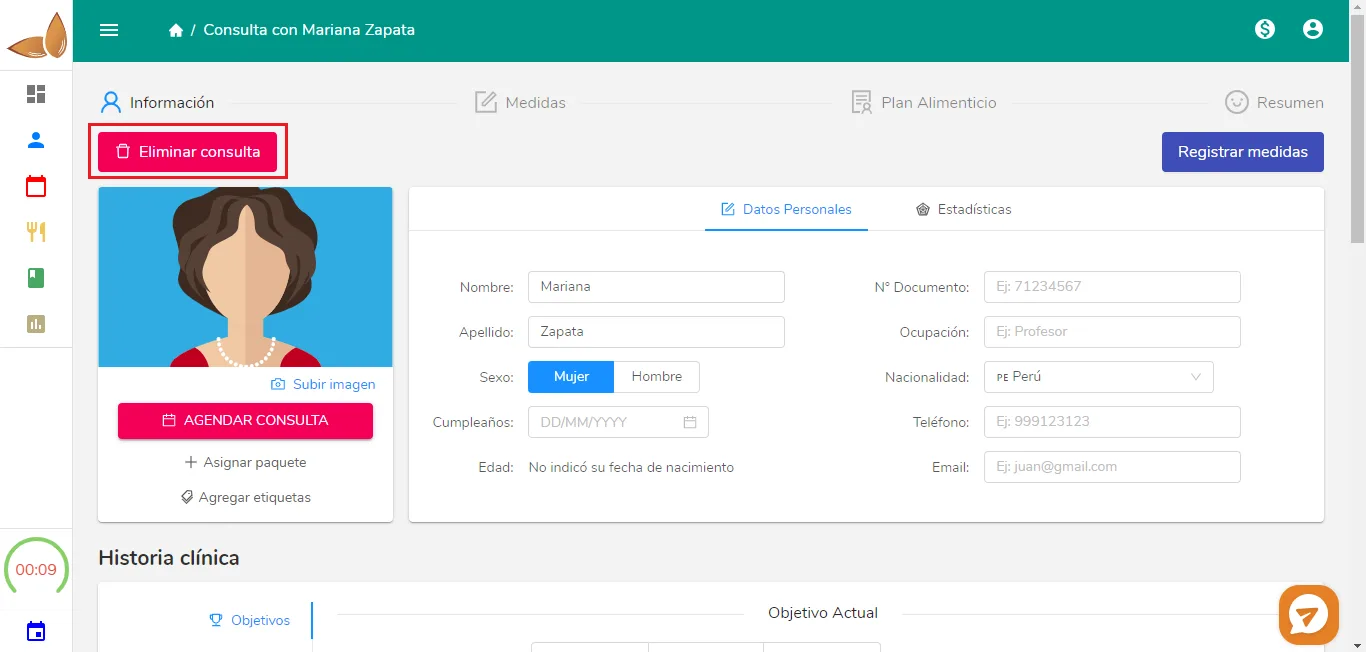
If you started an appointment by mistake, delete it from its first step with Delete appointment. Nothing is saved to the patient's history or finances.
Updated January 7, 2022
You need to delete it. To delete this appointment, go to the first step of the appointment (where the clinical history and patient information are), find the “Delete appointment” button at the top left and click on it. A confirmation window will open; click on “Yes, delete”:
Done! You’ve deleted the appointment and nothing was saved in that patient’s history. Your finances won’t be affected either.
Can’t find what you’re looking for?
Our team replies within 1 business day, Monday to Friday 9:30 AM – 6:00 PM (GMT-5).