
How do I delete an ongoing consultation?
Delete an ongoing consultation started by mistake or as a test in Almendra with the Delete Consultation button, so it stays off the patient's record.
Updated August 12, 2024
It’s very likely that you’re here because you started a consultation by mistake or because you started a test consultation, and you don’t want it to remain in the patient’s record. For these reasons, there is an option to delete an ongoing consultation.When you start the consultation, you’ll see the “Delete Consultation” button in the upper left corner of your screen.
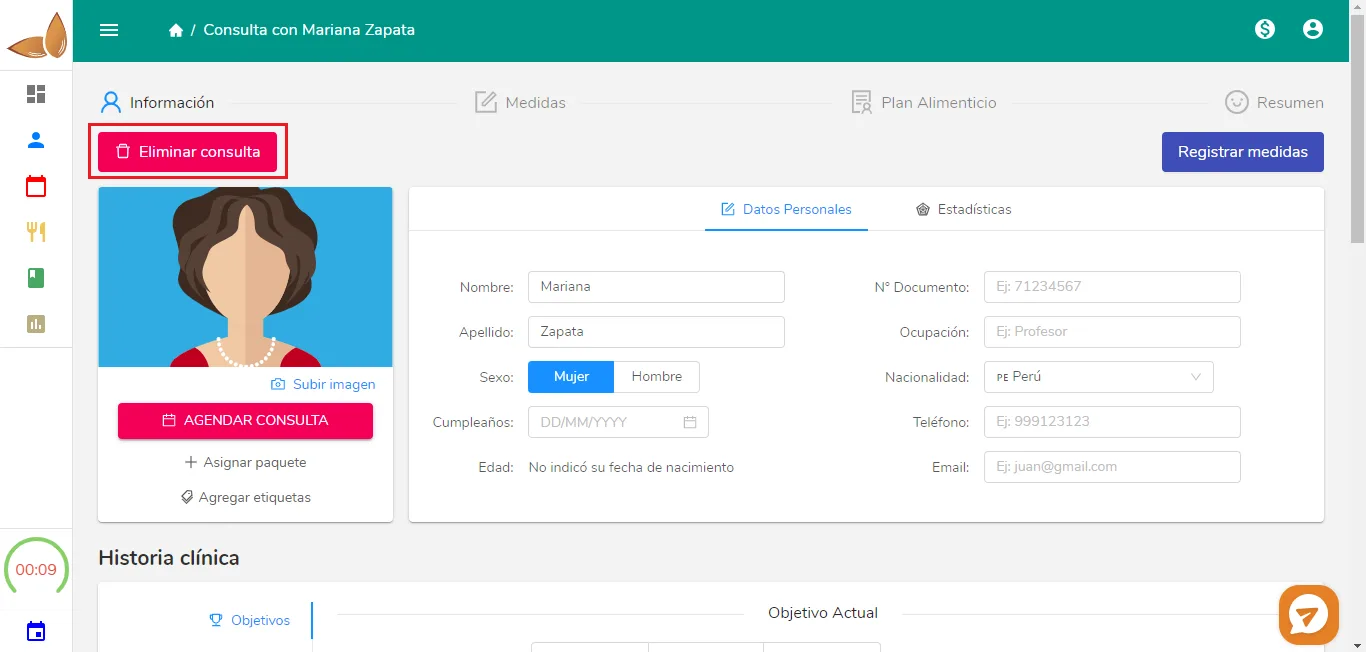
Click it and select “Yes, delete” in the confirmation window.
Can’t find what you’re looking for?
Our team replies within 1 business day, Monday to Friday 9:30 AM – 6:00 PM (GMT-5).