
Can I add a comment to a meal?
Add a comment to a meal in the meal plan with the comment icon in day view, or the pencil on the cell in table view, to leave the patient a reminder.
Updated January 6, 2022
Of course. This is extremely useful if you want to remind your patient of a specific instruction for that meal, for example “Avoid taking more than 20 minutes to eat everything”. Adding a comment is easy.
1. On a strict meal plan - “By day” visibility:
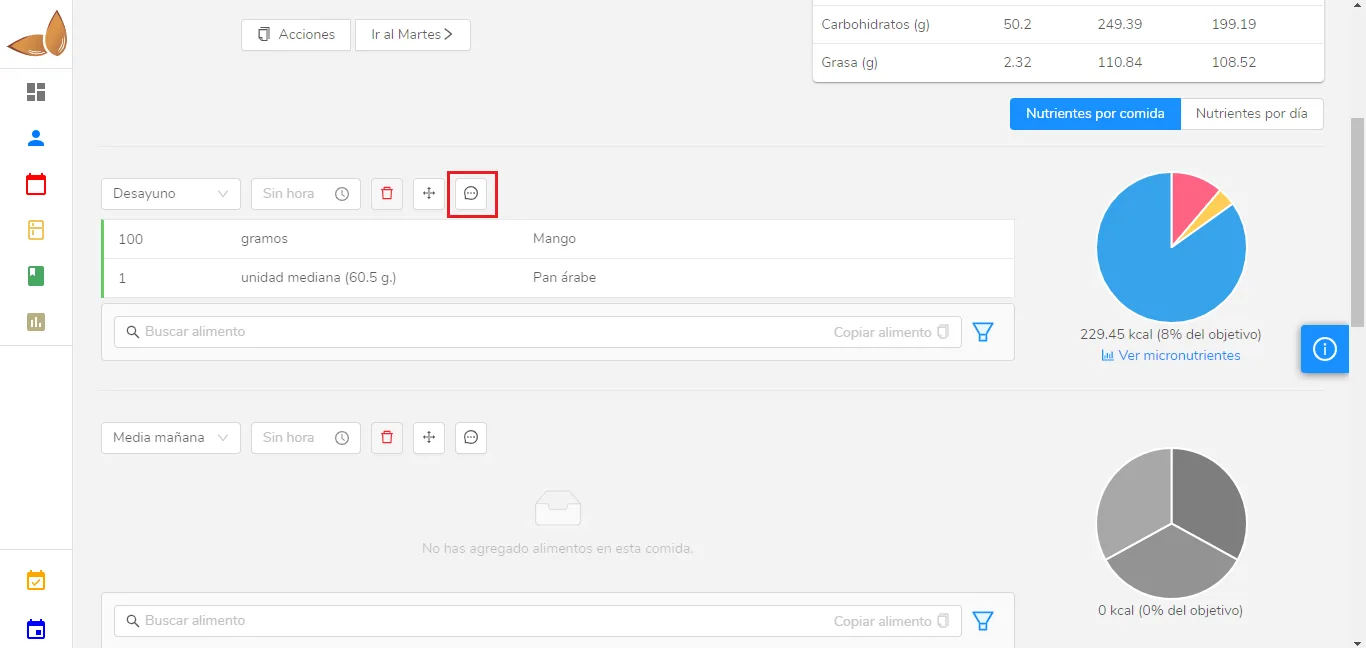
Click the comment icon and a small field will open for you to enter the comment. Just write it and click anywhere outside the field to save it.
*Note: On a flexible meal plan, the interface is very similar to the one in the image above.
2. On a strict meal plan - “Table” visibility
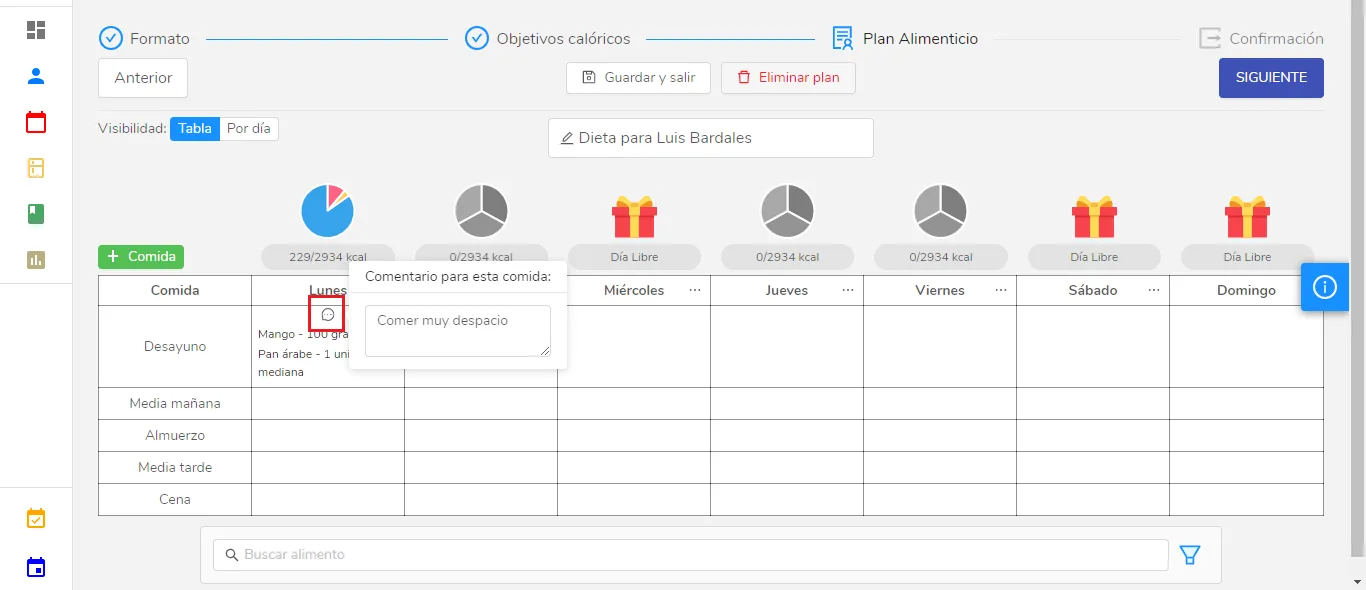
If a meal already has a comment, you’ll see the comment icon in the cell. To edit it, click it, and the window shown on screen will appear.
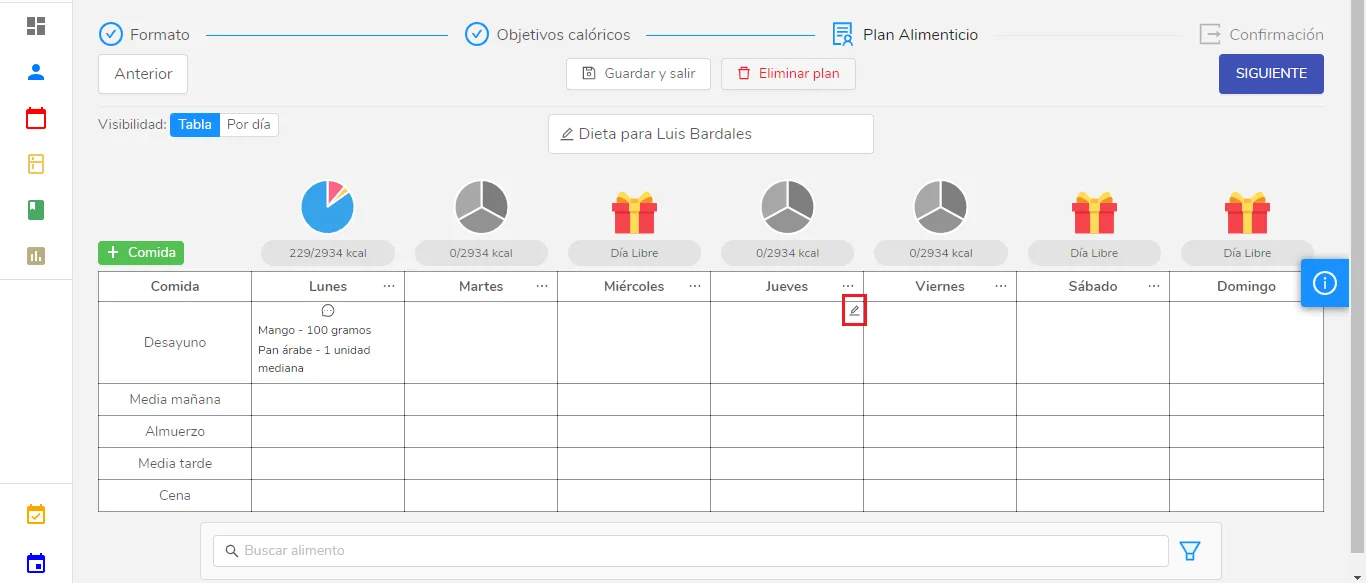
If the meal doesn’t have a comment yet, hover your cursor over that meal’s cell, and you’ll see a pencil appear in the top right corner of the cell:
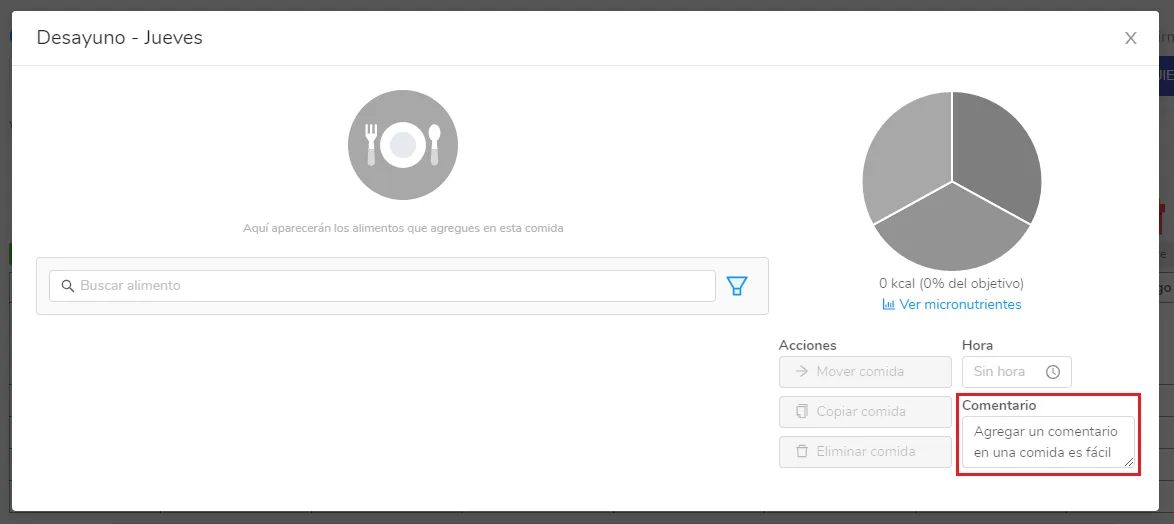
Click the pencil, and the meal window will open. There, in the bottom right, enter the comment you want:
Can’t find what you’re looking for?
Our team replies within 1 business day, Monday to Friday 9:30 AM – 6:00 PM (GMT-5).