
How do I view a finished meal plan?
Open a finished meal plan from the patient's profile in Almendra: download it as a PDF or view it in the meal plan builder, where it is read-only.
Updated January 6, 2022
To view a meal plan that has already been used, go to the profile of the patient who used that meal plan and click on either of the icons in the red box in the image below:
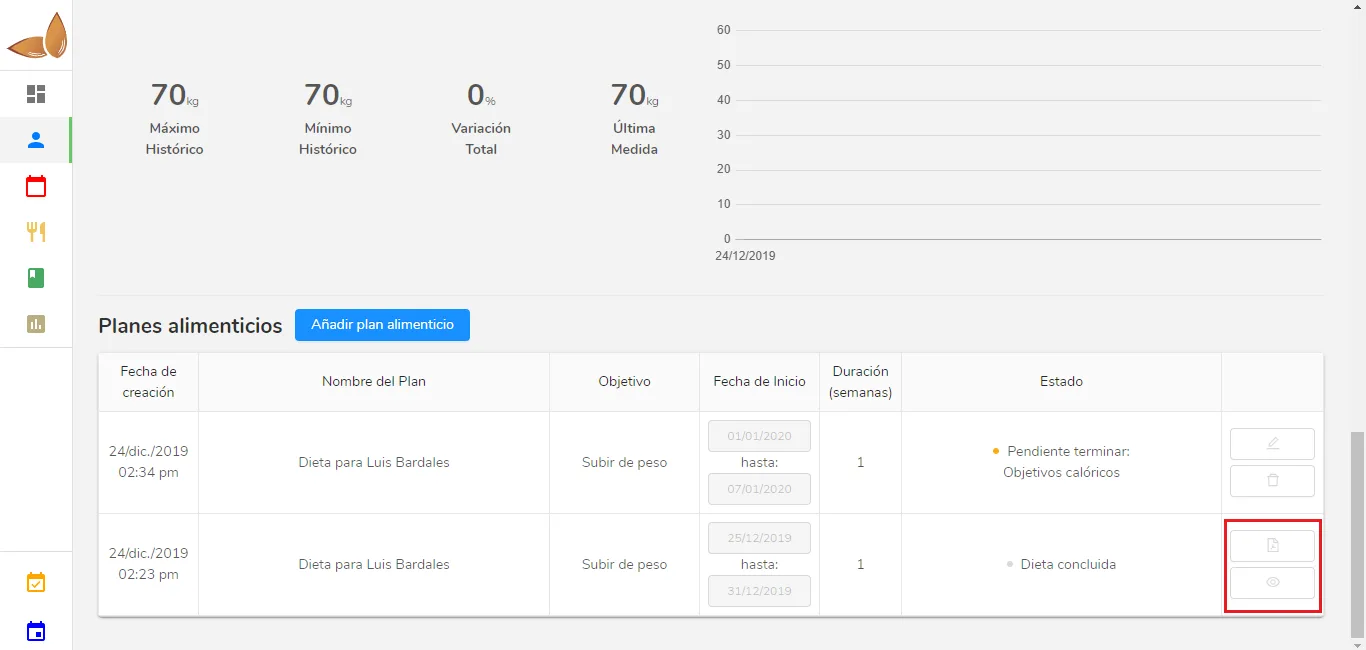
You’ll notice there are two options. The top icon downloads the PDF so you can view it that way, while the bottom icon opens the meal plan in the Almendra builder. Since it’s a finished meal plan, remember that you won’t be able to edit anything in it.
Can’t find what you’re looking for?
Our team replies within 1 business day, Monday to Friday 9:30 AM – 6:00 PM (GMT-5).